> ## Documentation Index
> Fetch the complete documentation index at: https://docs.uplift.ai/llms.txt
> Use this file to discover all available pages before exploring further.

# Create your Uplift account and start a trial

> Follow these steps to create an Uplift account and begin your free trial.

Follow the steps below if you would like to trial Uplift Capture, or if you have been invited to try the Uplift Capture movement analysis platform.

The following video also covers account creation:

<iframe width="560" height="315" src="https://www.youtube.com/watch?v=Rn4l00by9rE" title="YouTube video player" frameborder="0" allow="accelerometer; autoplay; clipboard-write; encrypted-media; gyroscope; picture-in-picture; web-share" referrerpolicy="strict-origin-when-cross-origin" allowfullscreen />

# Create an account at platform.uplift.ai

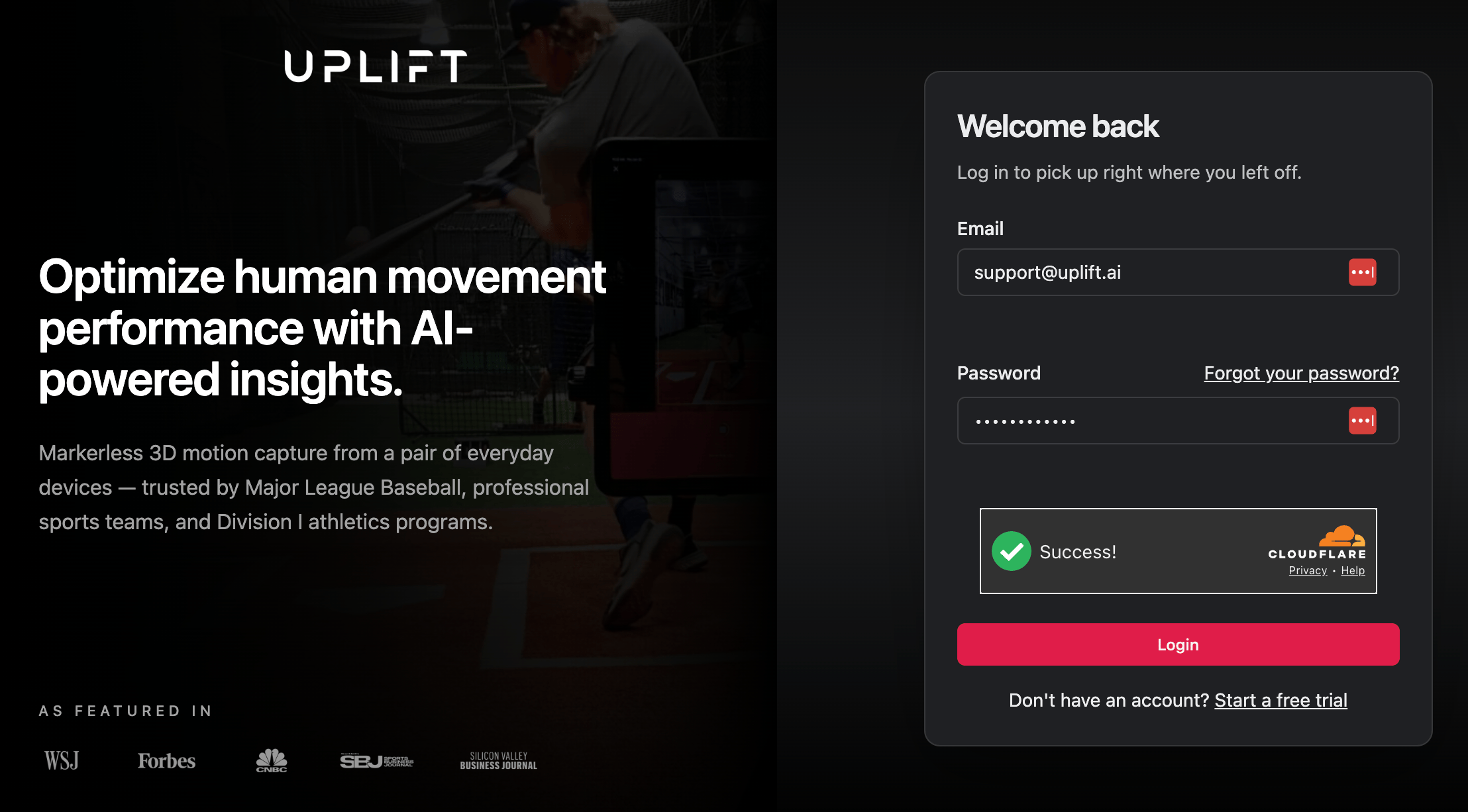
The first step is to create your account at [platform.uplift.ai](https://platform.uplift.ai/). Click "Start a free trial" in the bottom right to create your account.

<img src="https://mintcdn.com/upliftlabs/oxOA0DSYqVlKoTZw/images/guides/getting-started/web-login.png?fit=max&auto=format&n=oxOA0DSYqVlKoTZw&q=85&s=3064c7069edbc20f75363132e156783a" alt="" style={{display: 'block', margin: '0 auto', maxWidth: '500px'}} width="2216" height="1226" data-path="images/guides/getting-started/web-login.png" />

***

<Columns cols={2}>
  <Column>
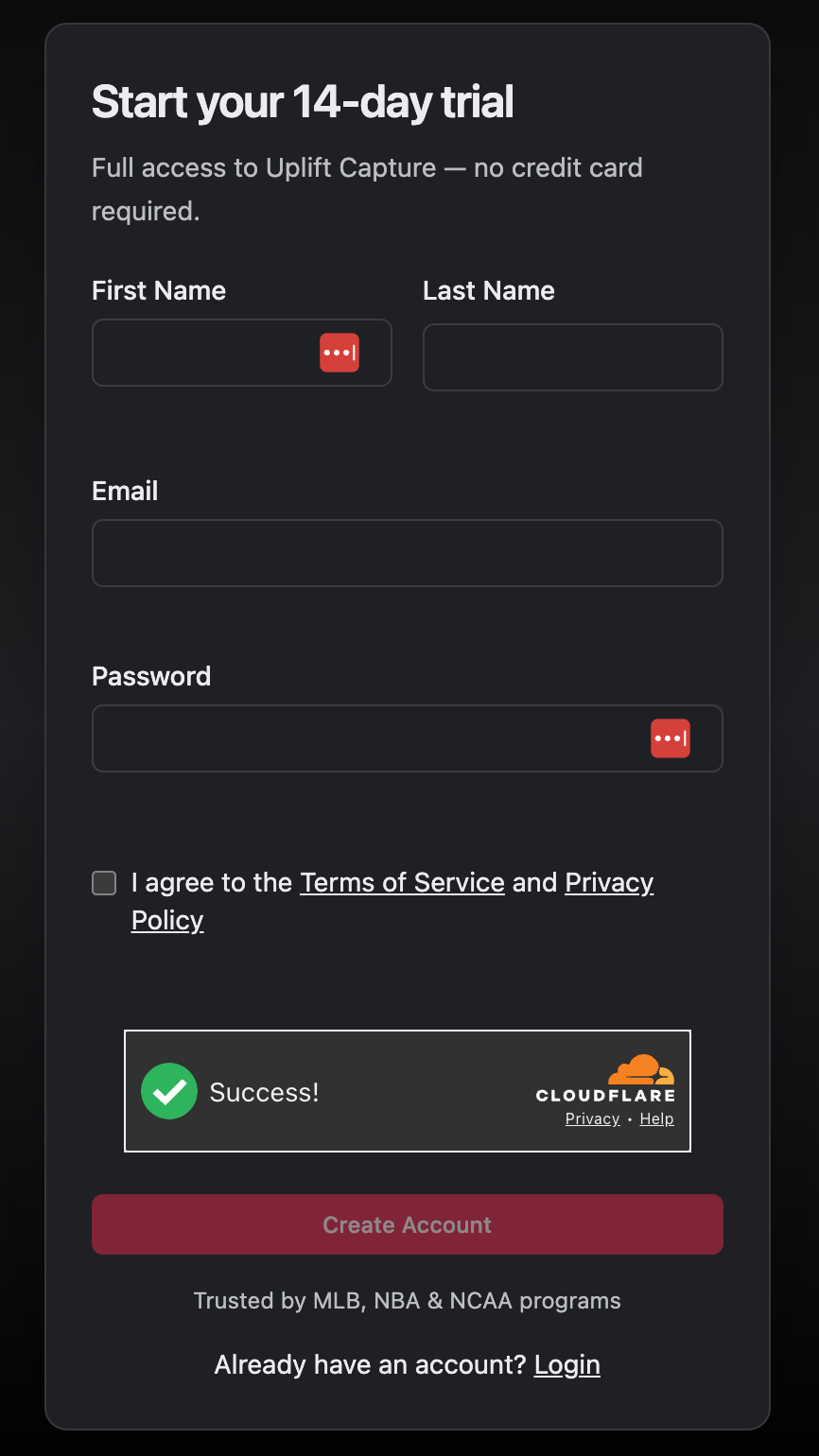
    Enter the email you'd like to use to log into Uplift - you'll use this to log into both the web platform, and the Uplift Capture mobile app.
  </Column>

  <Column>
    <img src="https://mintcdn.com/upliftlabs/oxOA0DSYqVlKoTZw/images/guides/getting-started/web-create-account.png?fit=max&auto=format&n=oxOA0DSYqVlKoTZw&q=85&s=43e740dc0f1a7002e3657fc4a8c83da9" alt="" style={{display: 'block', margin: '0 auto', width: auto, height: '400px'}} width="866" height="1540" data-path="images/guides/getting-started/web-create-account.png" />
  </Column>
</Columns>

***

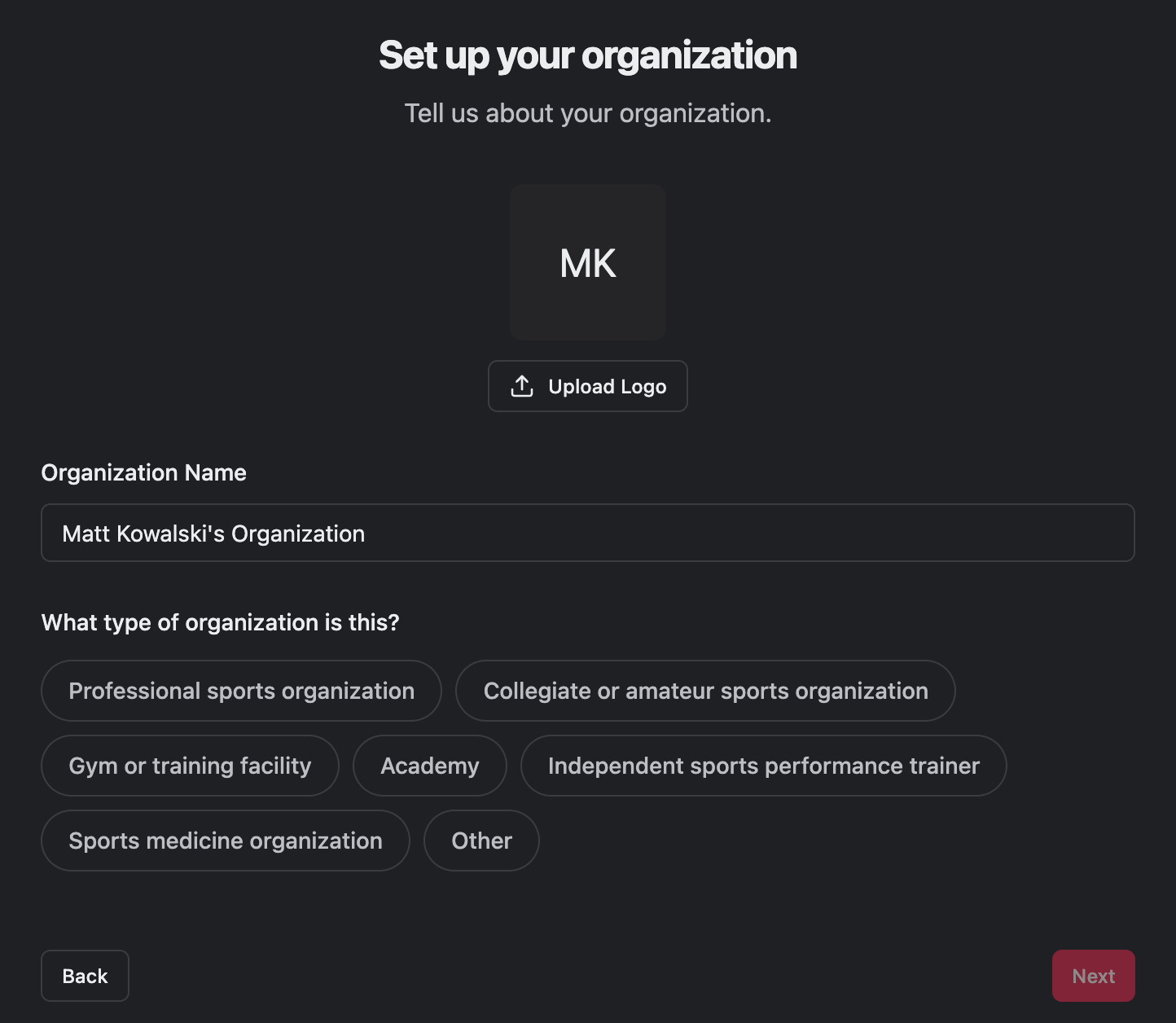
After creating your account, log in, and complete your organization's details:

<img src="https://mintcdn.com/upliftlabs/oxOA0DSYqVlKoTZw/images/guides/getting-started/web-onboarding-org-details.png?fit=max&auto=format&n=oxOA0DSYqVlKoTZw&q=85&s=3746a830870315a3e2217ece47178fa4" alt="" style={{display: 'block', margin: '0 auto', width: auto, height: '400px'}} width="1444" height="1256" data-path="images/guides/getting-started/web-onboarding-org-details.png" />

# Request a trial

<Columns cols={2}>
  <Column>
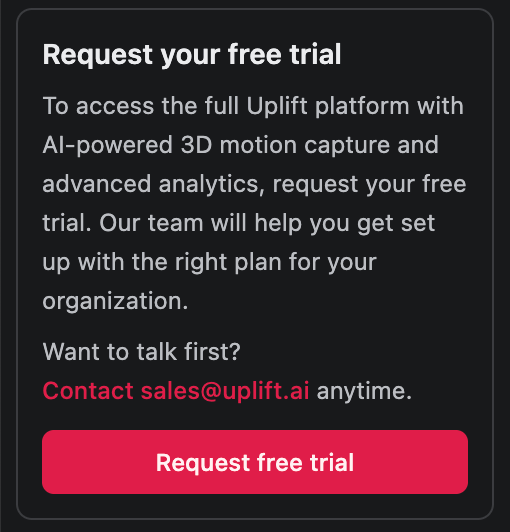
    Once logged in, you'll see a "Request your free trial" message at the bottom of the menu.<br /><br />
    Click "request free trial", and our sales team will be informed. Once they enable your trial, you'll get an email confirming your trial has begun, and you'll be able to start capturing!
  </Column>

  <Column>
    <img src="https://mintcdn.com/upliftlabs/oxOA0DSYqVlKoTZw/images/guides/getting-started/request-trial.png?fit=max&auto=format&n=oxOA0DSYqVlKoTZw&q=85&s=fd3eae59838e3ba31a4bd109812b1380" alt="" style={{display: 'block', margin: '0 auto', width: auto, height: '400px'}} width="510" height="532" data-path="images/guides/getting-started/request-trial.png" />
  </Column>
</Columns>